


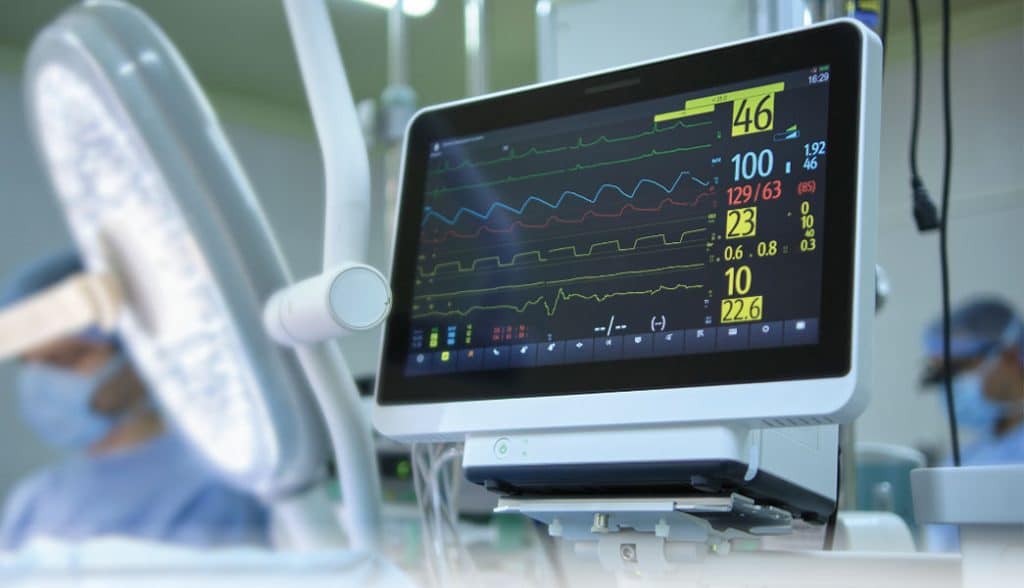
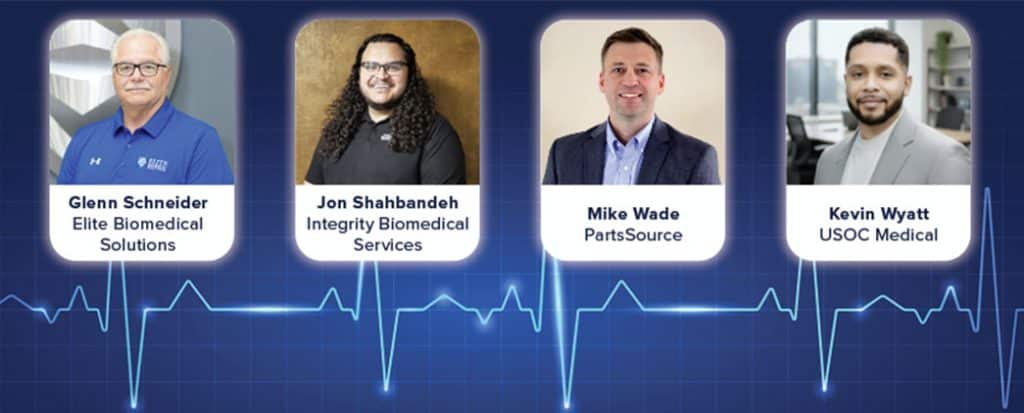
TechNation asked patient monitor experts to share their knowledge and insights for this month’s roundtable article. Participants are:
• Elite Biomedical Solutions Chief Service Officer Glenn Schneider;
• Integrity Biomedical Services Business Development Manager Jon Shahbandeh;
• PartsSource Vice President of Inside Sales Mike Wade; and
• USOC Medical Business Unit Director Kevin Wyatt.
Q: WHAT ARE THE MOST COMMON TYPES OF REPAIRS OR ISSUES YOU ENCOUNTER WITH PATIENT MONITORS, AND HOW DO YOU TYPICALLY ADDRESS THEM?
SCHNEIDER: The most common repairs we encounter are physical damage to transport monitors and mechanical failures (pumps, etc.) in monitors and physiological modules. We typically replace the defective parts with new or re-certified OEM parts and occasionally use aftermarket parts that meet our rigid quality standards. Once repaired, we run the device through a complete PM as outlined by the OEM.
SHAHBANDEH: We mostly deal with things like worn-out parts, power issues, communication dropouts and problems with parameter modules. We fix them using solid component level troubleshooting and dependable replacement parts. Everything that comes through our shop gets the same thorough, ISO-driven process, which is how we keep our repairs fast, reliable and usually turned around in about five days.
WADE: We see the same patterns again and again – especially on Philips MX40 fleets. Everyday wear drives most activity: about half of monitor spend is on batteries, cables/leads, cuffs and cases. HTM teams handle those swaps in-house to keep rooms online. The heavier lifts – board-level/transmitter work and calibration-adjacent repairs – are routed to certified depots, which protects quality and turnaround. Anytime a patient monitor, transmitter or transport monitor has the ability to travel around the hospital with a patient, the more likely it is to see wear and tear.
WYATT: On the bench we see a lot of the same patterns: NIBP pumps and valves wearing out, SpO₂ boards and LEDs failing, power supply issues, and damage from drops, fluid, or broken connectors. At USOC, we start with a full functional check, then isolate the failure down to the board or component level to reduce turnaround time and keep our costs competitive. If it is a known high-failure part, we keep those components and boards on the shelf so we can turn monitors quickly instead of waiting on long lead-time parts.
Q: HOW OFTEN DO PATIENT MONITORS REQUIRE ROUTINE MAINTENANCE, AND WHAT TASKS DO YOU PRIORITIZE DURING SERVICING TO ENSURE OPTIMAL PERFORMANCE AND PATIENT SAFETY?
SCHNEIDER: From my experience, monitors can be separated into two categories; those with integrated physiological inputs and those that only display parameters from a different monitor. The monitors that have integrated physiological inputs from the patient should be inspected on a routine basis, depending on the hospital’s medical equipment management plan. Display monitors that receive inputs from other monitors can be on a much less frequent schedule (possibly no schedule) since they just replicate what the physiological monitor is measuring. All configured inputs must be verified as accurate or calibrated to OEM required tolerances. We perform those tests after every repair our technicians perform, as well as an electrical safety test.
SHAHBANDEH: Patient monitors usually need routine maintenance about once a year, and busy departments often benefit from more frequent checks. When we service a unit, we focus on the things that matter most for safety and reliability such as accuracy testing, inspecting connectors and cables, checking power and batteries, cleaning the device, and making sure every parameter is reading correctly before it goes back into use.
WADE: Most teams run 6- or 12-month PMs depending on utilization and OEM guidance. The priorities that actually bend downtime are simple: cleaning, connector and strain-relief checks, alarm verification and battery health. That lines up with the purchasing pattern – those wear items make up roughly half of what monitor teams buy – which tells you the cadence is working when it’s consistent.
WYATT: Twelve months is ideal; however, depending on how hard the facility uses their equipment, that interval may be closer to six months. During PMs, we focus on the things that actually keep people safe: NIBP accuracy, SpO2 performance, ECG testing, leak checks, accessories and any signs of drift. Once repairs are completed, every system goes through our extensive QC process to ensure it is functioning at the manufacturer’s standard or better. We also clean vents, fans and boards because heat and dust quietly kill a lot of equipment. Our goal at USOC is simple: catch the small problems before they take a room out of service.
Q: HAVE YOU NOTICED ANY PARTICULAR CHALLENGES WITH NEWER MODELS OF PATIENT MONITORS – SUCH AS SOFTWARE RELIABILITY, COMPATIBILITY WITH OTHER SYSTEMS OR EASE OF REPAIR?
SCHNEIDER: The software on newer models seems to be very reliable. At times, the challenge is a software and hardware compatibility conflict. As the device ages and updates/modifications are made to them, versions can force incompatibility and require replacement of something that is not defective. For example, if a software update is needed, it may require a circuit board be replaced, even if it operated fine on the previous software version.
SHAHBANDEH: Newer patient monitors definitely come with challenges, especially as manufacturers keep adding more software-driven features. We do not work on software or firmware issues, but we do see how locked down systems, limited access and compatibility problems can create headaches for biomeds. On the hardware side, newer models often use tighter, more compact designs and harder to source components, which can make repairs more involved, but we focus on what we do best which is solid hardware diagnostics and reliable board-level repair.
WADE: Modern monitors are smarter and far more connected. The upside is better clinical workflow; the trade-off is firmware and network dependencies. Our field notes regularly flag update/compatibility friction and the occasional “on contract/warranty” roadblock. The fix is process, not heroics: coordinate change control with IT, validate Wi-Fi/security settings before pushing updates, and check contract status early so repairs don’t stall. Newer monitoring systems also require hospitals to upgrade their wireless infrastructure. Sometimes this cost goes unnoticed until the last minute.
WYATT: Newer monitors have nicer screens and better integration, but they are not always designed with service in mind. Repair parts can be unavailable, service ports are hidden and a lot of functions are buried in firmware or locked behind proprietary software. A software update on the hospital side can suddenly break communication or change behavior, and everyone points fingers. From a repair standpoint, the more that is pushed into locked software, the less flexibility we have to support the customer quickly. Our teams at USOC spend a lot of time learning those platform quirks so we can still keep downtime low even when the design is not technician friendly.
Q: HOW DO YOU HANDLE CALIBRATION AND ACCURACY TESTING OF PATIENT MONITORS, AND WHAT STEPS DO YOU TAKE TO ENSURE THE EQUIPMENT PROVIDES RELIABLE READINGS?
SCHNEIDER: We test every device serviced against the MFR tolerances and all parameters as a minimum. Our ISO certification has traceability requirements on all repaired/PM’d devices as well as test equipment. The technicians are required to document the test equipment used as well as its next due date on each work order. So, verification within the required recalibration period is confirmed.
SHAHBANDEH: We hook every unit up to our test gear and check all the basics like ECG, SpO2, NIBP and IBP to make sure the numbers are where they should be. If something is off, we dig into the hardware, fix the issue, and retest it until it is reading right every single time.
WADE: Stick to OEM procedures with traceable simulators in-house; use depot partners when you need batch consistency or you’re dealing with transmitter-heavy fleets like the MX40. In practice, that split keeps uptime high: most routine accuracy checks happen on your bench, while a meaningful share of MX-series work flows to depot for controlled conditions and consistent pass rates. Sometimes clinical support is needed to help dial in the proper alarm protocols and avoid alarm fatigue by the hospital clinical team.
WYATT: We use certified simulators for ECG, SpO₂, and NIBP, and we follow the OEM’s performance verification procedure line by line. If a parameter is out of spec, we do not just “tweak it until it passes”; we find the source of the problem, whether it is a worn pump, a drifting sensor, or a faulty board, fix it and then rerun the entire verification. At USOC, nothing leaves our facility until it passes a full set of tests, is clean, in spec, and documented. That is our standard.
Q: WHAT ARE THE MOST IMPORTANT CONSIDERATIONS FOR HEALTHCARE FACILITIES WHEN SELECTING PATIENT MONITORS, PARTICULARLY REGARDING SERVICEABILITY, COST AND LONG-TERM RELIABILITY?
SCHNEIDER: Do your homework. Software compatibility between the monitoring and IT portions of the systems make things very complicated. My approach has always been to ask for references from the OEM and contact the hospital HTM department, as well as organizations that have the systems you’re considering, but not referred to by the OEM. Do a 5- to 10-year cost of ownership (COO) evaluation on each brand. Be aware of tactics used by sales to sway the clinicians. I’m aware of at least one vendor that tells them that software upgrades are free. What they fail to divulge is that many times a costly hardware upgrade is required to move to a new software revision. Every organization has specific needs for clinical monitoring but has a limited budget.
SHAHBANDEH: When a facility is picking patient monitors, it really comes down to how easy they are to work on, how expensive they are to keep running and whether they hold up over time. A monitor might look great on paper, but if parts are impossible to find or it is a pain to service, it will cost way more in the long run than something that is simple, reliable and biomed friendly.
WADE: Look past sticker price to parts access, documentation and repair pathways. Platforms like Philips MX and GE Carescape perform best when your team can do the wear-and-tear in-house and you’ve got a clear depot route for board/transmitter repairs. That combination tends to stabilize total cost and shorten recovery time after failures.
WYATT: When you are choosing patient monitors, the big question is: what is this going to look like three to seven years from now, not just on install day. I’d look at four main things:
• Platform strategy: Are you standardizing on a small number of platforms, or adding “one more brand” that your team has to learn and support? Standardization saves a lot of pain later.
• Service access: Can your in-house team or a partner like USOC actually get parts, service information, and calibration tools, or is everything locked behind OEM-only portals and passwords?
• Real repair costs: Ask what typically fails and what those parts cost. A monitor that needs a $900 module for a common failure is not a good deal, no matter how it was priced up front.
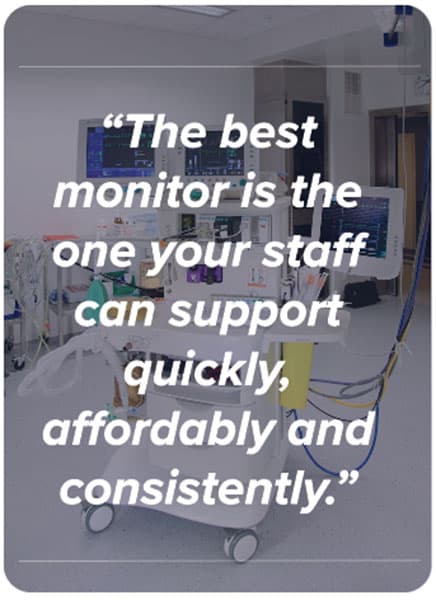
• Integration and stability: Make sure it behaves well on your network and with your EMR, and that updates are not constantly breaking connections. From what we see come across the benches at USOC, most regrets happen because the long-term service plan was an afterthought. The best monitor is the one your staff can support quickly, affordably and consistently.
 Q: WHAT EMERGING TECHNOLOGIES, NEW FEATURES, OR DESIGN TRENDS IN PATIENT MONITORING ARE YOU MOST EXCITED ABOUT, AND WHY?
SCHNEIDER: I’m really interested in where AI is going to take patient monitoring. As more patients are recovering at home with wearable technology, I believe AI is going to advance “predictive monitoring” individual patients rapidly. Currently, patients monitored in a hospital benefit from intelligent alarm software built into bedside monitoring systems. With AI, it is a short line to having that same capability on a wearable, including trend data from thousands of other patients that can be used in quicker, more accurate alarm management and diagnosis.
SHAHBANDEH: Patient monitoring has basically stayed the same for years because you are still dealing with the same core parameters like ECG, SpO2, NIBP and IBP. The newer units mostly just look nicer with better screens and modern interfaces, but they are still doing the same job. Hospitals do get excited about things like smaller footprints, cleaner designs and better wireless features. Even if the monitoring itself has not changed much, those updates make the overall experience feel a little more modern.
WADE: Two standouts: wireless telemetry and connected maintenance. Even though cables/leads are still a top failure mode, device data and predictive cues let you plan replacements before a room goes down – and time depot work around your busiest shifts. That’s how HTM moves from reactive firefighting to proactive uptime.
WYATT: Right now, the big push is AI. AI combined with continuous data from monitors and wearables has the potential to move us from reactive care to truly proactive care, where we are catching issues early and preventing major events instead of just responding to them. I am excited to see how far that goes. Beyond AI, on the service side, I’m excited to see better logs, remote diagnostics, and data access built into newer platforms to help teams like ours at USOC get to root cause faster and keep downtime low and turnaround times short.
Q: WHAT ELSE DO YOU THINK TECHNATION READERS SHOULD KNOW ABOUT PURCHASING, MAINTAINING, OR SERVICING PATIENT MONITORING DEVICES?
SCHNEIDER: HTM plays a major supporting role and should provide all information available related to projected support costs (including staff training) to clinical and hospital leadership when deciding to purchase a patient monitoring system. It’s the most pervasive system, after the electronic medical record (EMR), the hospital will purchase.
SHAHBANDEH: One thing worth knowing is that a lot of issues with patient monitoring come down to simple wear and tear, not major failures. So, choosing gear that is easy to service will save a ton of time and money. It also helps to partner with a repair company that communicates clearly, turns things around fast and actually understands the hardware instead of just swapping parts. And, no matter what brand you buy, keeping up with routine checks and not letting small problems stack up will always make your equipment last longer.
WADE: Visibility wins. When biomed, IT, and supply chain share a live worklist for parts, RMAs, and firmware, you eliminate the two biggest slowdowns we see: update surprises and contract/warranty misfires. Keep that loop tight and MX40-class fleets stay steady without the back-and-forth.
WYATT: Three things stand out from what we see every day. First, involve clinical engineering or your service partner before you buy. A monitor can look great in a demo and be a nightmare to support in the real world. Ask how it is serviced, what typically fails, how long parts take to get, and whether your team or a partner like USOC can actually work on it without waiting on the OEM for everything. Second, do not underestimate accessories and handling. A huge percentage of “monitor problems” are really bad cables, hoses, sensors or physical damage from how the units are used and cleaned. Having a plan for spare accessories, staff training and simple visual checks will prevent a lot of downtime. Third, treat PMs and data as part of your strategy, not just paperwork. Regular PMs, repair history and failure trends will tell you which models are worth keeping and which ones are quietly draining your budget. When facilities share that information with us at USOC, we can help them decide what to repair, what to standardize on and what to phase out instead of just fixing the same problems over and over.
Don’t miss the Webinar Wednesday Roundtable Panel Discussion on Wednesday, January 14. Register today at WebinarWednesday.live.
