



By Nadia Elkaissi and Jane Lacson

Picture this: a few healthcare technology management (HTM) interns have just come back from a cybersecurity conference and brought with them a handful of free USBs (universal serial bus) phone charging cables they found on a vendor table. They decided to be generous and hand them out to HTM staff at the hospital. Several were excited for the merchandise and immediately started plugging them into their computers to charge their phones. Suddenly, they started noticing their computers reboot one by one. What they did not realize was that the charging cables included another chip embedded within them. The chip was loaded with a malware code which executed the code on the computers to pull patient data. This simple method is known as “juice jacking” and is one type of cyber-attack where malware is installed onto a device using a charging port that doubles as a data connection, typically over USB. With some strict policies and processes in places, this hack may have been preventable.

To fully comprehend how a bad USB works, we must first understand what a USB is and the technology behind it. A USB is an industry standard for short-distance digital data communications. It’s typically used as a bridge for transferring and sharing data between devices and can be used to charge devices. This type of technology can provide several benefits for hospitals in that it provides a quick data transfer, is portable, provides ease for backing up data offline, and is compatible with most technology. Although the devices can offer speed, efficiency and accuracy with data transfer, they also pose risks. These seemingly innocent tools can act as Trojan Horses, bringing malicious threats to a health care environment.
The method described in the scenario is particularly deceptive, because typically the charging cable will function as expected, while in the back end transferring data or installing a malicious code on the system. USB malware can come in several forms and each poses its own unique threat and require its own defense strategies. Many can be categorized into the following sections: viruses, worms, trojans, spyware, ransomware, rootkits and BadUSB. Some of the more known hacking tools are the Rubber Ducky, Flipper Zero and the Bash Bunny.
1. Rubber Ducky: The “Rubber Ducky” is a hacking tool that mimics a USB flash drive but acts as a type of Human Interface Device (HID) such as a keyboard when plugged into a device. Once plugged in, it can start “typing” pre-programmed commands. The DuckyScript does not require drivers and therefore can bypass several security measures. In addition, the scripts run very quickly and often make detection difficult.

2. Flipper Zero: The ”Flipper Zero” uses an RF frequency to mimic an IR remote control which allows it to interact with several IR-controlled devices, TVs and even air conditioners. It has the capabilities for both RID and NFC, which can pose potential threats to devices such as access control systems or payment systems. The tool has a built-in “Cyber dolphin” that responds and evolves based on the user’s interaction. Similar to the Rubber Ducky, it can also mimic a keyboard and mouse.

3. Bash Bunny: The “Bash Bunny” looks just like a regular USB flash drive and has a small computer to perform cyber-attacks when plugged in. It can mimic several different forms of USBs and contains onboard storage. The storage will allow for the exfiltration of any data, and the small computer will allow for code to be quickly executed. This tool can be very hard to detect before codes have been completely executed.
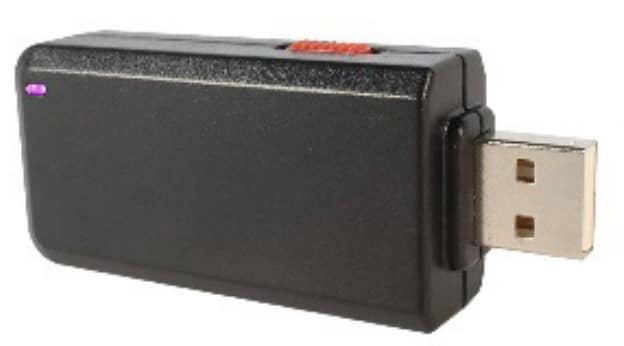
Each of these tools can pose a significant risk to patient care. Hospitals and health care institutions must prioritize cybersecurity, ensuring they have a robust system and protocols in place to defend against and respond to cyber threats.
Protecting against BadUSB attacks requires a multi-layer approach. Policies should be developed; expectations should be set and best practices should be followed. Organizations must implement USB use policies to ensure only authorized USB devices are to be used within the network. This can be enforced by creating a whitelist of approved devices and blocking all other devices. Another option is to disable the autorun feature on all USB devices. This feature automatically runs a program when a USB device is inserted into a system. Disabling this feature can prevent malicious code from executing automatically. In addition, an effective vendor management policy needs to be in place to ensure the use of USB device verification. Whenever a vendor or outside source brings in a USB that needs to be plugged into a networked medical device, it should be scanned and verified in a controlled environment. A good practice is using a type of media scanning stations unplugged from the network before scanning. The scanning station should be updated with the latest virus/malware scanning software by Information Technology (IT). Using a scanning tool and following proper policies will allow for an attack to be isolated from the health care network and can allow proper authorities to start the remediation process without impacting operations.
Jane Lacson, CCE, CHTM, is a biomedical engineer in the Healthcare Technology Management VA Central Office (19HTM).
Nadia ElKaissi, CHTM, biomedical engineer in the Healthcare Technology Management VA Central Office (19HTM).
