 By Garrett Seeley
I recently encountered a problem caused by an in-room module startup being outrun by an updated control computer. This caused the startup process to need modification to boot smoothly. The experience made me wonder; why did this happen? After all, as troubleshooters we are naturally curious.
Upon exploring this case, the work order logs showed that this startup issue did not occur before a recent upgrade. Therefore, the upgrade itself was likely the cause. All diagnostics passed, and the unit was operational per the OEM. After observing the problem and comparing it with a non-upgraded system, it became evident that the new control was booting up much faster than before. It would boot up and time out communications before the exam room equipment could finish booting. This is most likely due to the hard drive. Let me explain.
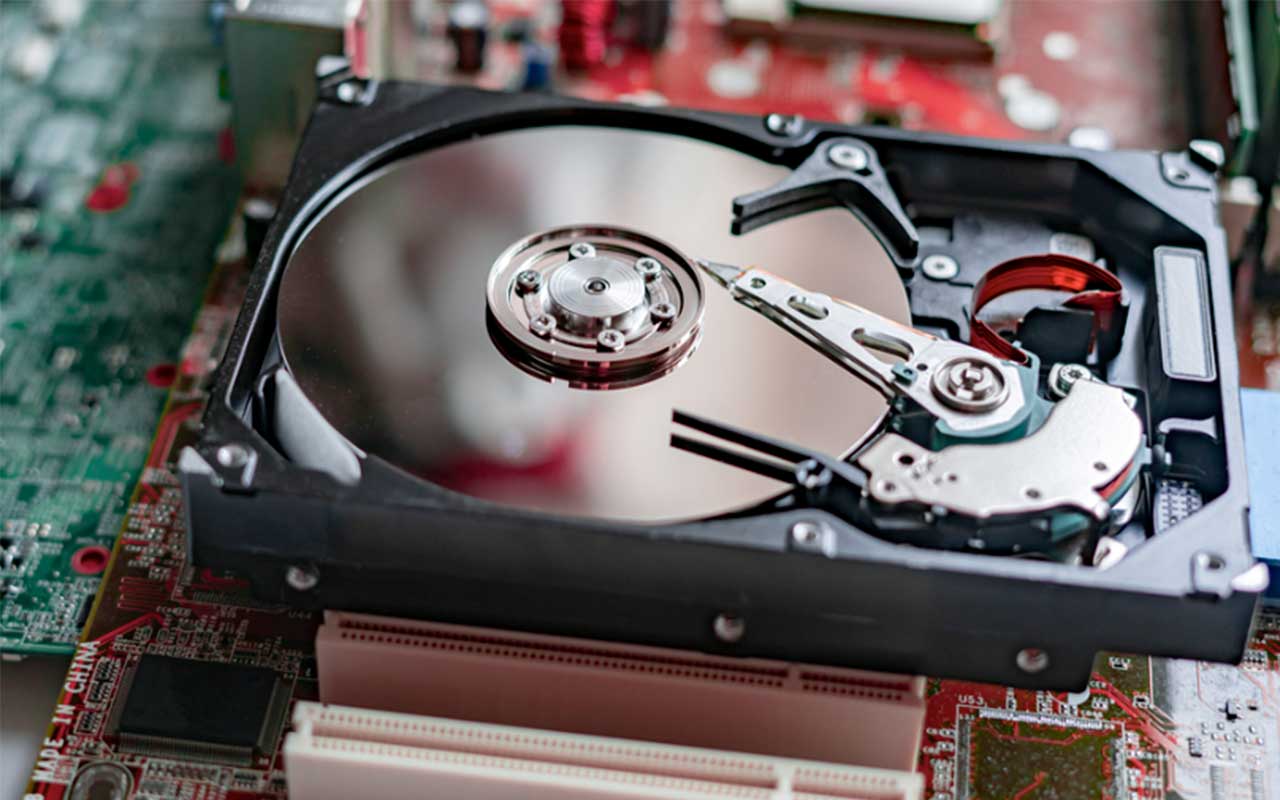
There have been some tremendous advances in hard drive and storage technology leading to exciting results. Boot times and access speeds have improved dramatically because of the M.2 Solid State Drive (M.2 SSD). If you are not familiar with this drive, it differs significantly from the traditional platter-style drive. Let’s start with how a drive works. A traditional Hard Disk Drive (HDD) is almost like a record; it is a magnetic disk spinning under a read/write head that picks up or places individual magnetic 1s and 0s. The data is stored in a circular track, and the individual sections of the track that hold the bytes are called sectors.
Advancements in hard drive technology mean that these drives are still the most affordable for large volumes of space, often several terabytes (a trillion bytes is one TB) in size. The faster the disk spins, the faster the drive can pull data. The SATA data interface is the most common modern interface for these hard drives. It is adequate for an HDD because the spinning of the drive platter is the speed limiter. SATA has access speeds of up to 600 MB (million bytes) per second, with practical speeds closer to 500 MB/s. Despite this limit, a traditional hard drive was still faster than standard USB version 2.0 drives, CF (Compact Flash) cards, or other typically removable digital media. For reference, these use a USB 2.0 interface of around 50 MB/s or a USB 3.0 at 640MB/s. These drives are essentially a persistent style of memory used for storage. Memory itself is not storage, it is very fast but is a temporary area for the processor. I like to say that it is a workspace, not a storage space, as storage retains information while powered off. Flash drives and removable cards offer persistent storage but are slower due to their interface. Therefore, at the time of USB 2.0, HDDs were the fastest way to store and retrieve data.
This only held true while flash circuits remained slow. As their speed increased and overall size shrank, it became possible to use flash format in a new type of drive, a Solid-State Drive (SSD). SSDs used the same interface as HDDs. The SSD is fully digital without spinning parts. With SSD, the SATA interface became the speed limiter. SSDs used the SATA interface to its fullest capacity and had a distinct speed advantage over HDDs. Over time, their size increased enough to be usable as primary storage for computers. For a brief period, SSDs were used as the main hard drives for computers. Due to improvements in HDD design, HDDs retained their place as non-operating system storage drives. This is due to their larger size and lower cost. Most systems used SSDs for the operating system and critical programs, while HDDs were used for large data storage that did not require rapid access.
The evolution of computer speed continued. To further increase SSD speed, developers adopted a different interface, the PCIe card bus – the slot used for upgrading computer functions, primarily with high-speed video cards. This redesign resulted in the M.2 interface, where the SSD is placed directly on the high-speed bus. It initially increased speed fivefold compared to standard HDDs, and as SSD technology developed, these speeds increased. Currently, M.2 drives can be up to 25 times faster than standard SSDs, resulting in much faster boot times and overall system performance. A M.2 SSD can transfer up to 3 GB/s (3000MB/s) or even more. Now, hard drives are storing and retrieving information at about 1/10th of the speed of the main system memory. The M.2 SSD is getting faster with each update.
The control was booting too quickly, finishing its boot sequence, requesting communication, and timing out before the exam room side could finish booting. This was the problem. The in-room system used an embedded Windows system on removable media, specifically a CF card, which was not upgraded along with the control using a new M.2 drive. The CF system was on a USB 2.0 style interface. It can function as a main storage drive, but it is extremely slow in comparison to other drives. The only solution was either preventing power loss or starting the room modules a minute before rebooting the control, which we implemented. My concern is not just for rare conditions like restarting after a power loss, but to be aware of how design changes can cause operational challenges in the field. This is a prime example of why HTM professionals need to understand IT components to improve their troubleshooting skills. It’s impossible to know when this information will be useful. In this case, it was foundational knowledge that explained the overall problem of the system and provided for solutions. When it comes to IT components, there is already a learning curve on this material, and it will only become more obvious in time. Study up!