By Garrett Seeley
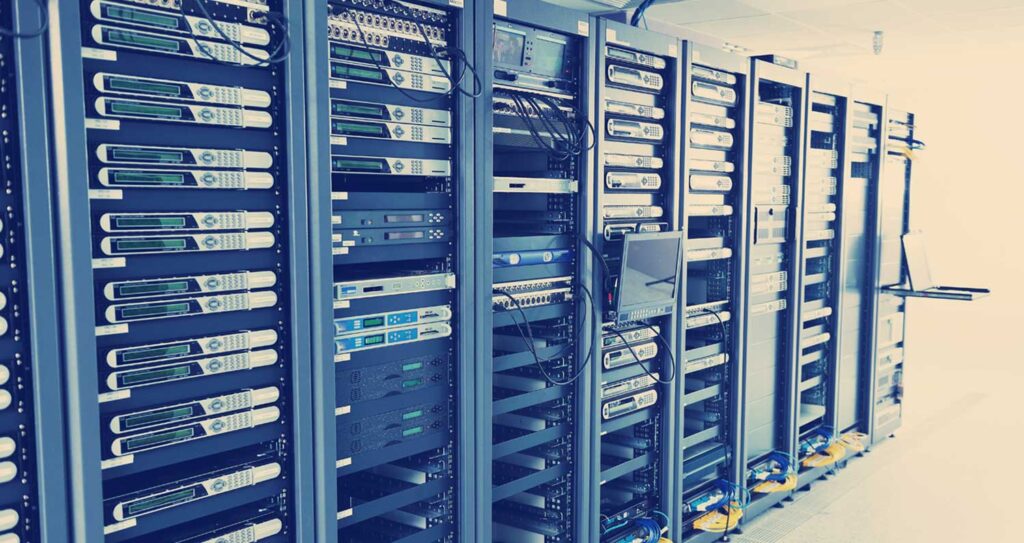
In the early 1990s, when a network needed to function, a server was added. This server would perform a task, such as sharing a printer or files. This was a way to provide a service to an overall network. However, as time went on, the network tasks grew and so did the server count. Server rooms started to become flooded with multiple systems, most of which provided a single service to a network. Several of these only were used around 10% of the time. This became a waste of resources and power.
Virtualization became a solution to this problem. In a nutshell, this is how the virtual machine worked. It allows for a program in a window to function as if it were a stand-alone machine. This is called an environment. The software in the environment thinks it is on a stand-alone computer. The virtual environment has limited access to the main computer’s resources, which makes it scalable. The host computer controls the resources, such as storage, processing, video, and memory. The environment is isolated from the host computer and therefore, secure.
One of the earliest advantages of this was in copying data. In virtualization, a file serves as a simulated hard drive and in fact, holds the entire description of the environment. This makes it easy to back up and restore as the environment is just a single file. A virtual machine file can be copied to another location. If the software becomes damaged, the file can be copied back. This restores the system to its original operation. One of the earlier uses of this was to create a tool for training people in a safe area. Because of the easy restoring process, a trainee could not really damage the machine in the window. They also were controlled in the main host computer by user logins and permissions. It was an ideal training tool. This training environment is called a sandbox.
The sandbox also created a safe place for installing and updating new, unknown, or unproven software. Network administrators make a copy of a whole computer into a virtual file, which is called a snapshot. The administrator then moves the snapshot into a virtual environment where they can test unknown software. If the unknown software destroys the virtual system, nothing is lost. Reloading the snapshot file returns the virtual system to its original state. Early antivirus systems used this technique to test unknown code. Another use of virtualization is that it also allows for migration. This is when an administrator rolls over a snapshot from a physical server to a virtual one. It can also be when the virtual file is moved from one host server to another. Snapshots and virtualization function a lot like a backup program and a migration management tool. This quick redundancy makes virtual machines popular.
Eventually, the host computer running the virtual machine became much more powerful. CPUs are now multicore, and memory is faster and larger. This allows multiple virtual machines to run on the same host computer. Eventually, virtual machine host operating systems were replaced with operating systems dedicated to running just the environments. In short, virtual machine host computers have their OS. Hyper-V. ESXI and Xen are all examples of host virtualization operating systems. These OSes are scaled down, allowing for more computer resources to run multiple environments simultaneously. Now, servers running virtual machines have the computing power and memory that eclipses desktop computers. They often have 4 CPUs, each one with over 128 cores, and 24 memory slots. A standard computer for reference, has one CPU with 8 to 16 cores and two memory slots. Virtual servers incorporate multiple hard drives in a RAID setup for up to 20 times the normal storage space. They are dedicated to their task and are way more powerful than a normal laptop. These incredibly large servers run over a hundred different virtual servers, each appearing on the network to be a separate, stand-alone computer.
It gets even more fantastic when considering containers and cloud virtualization. A container isn’t a whole virtual server. A traditional virtual machine functions as a normal computer that technicians log on to and control using a remote desktop. A container is more like a stand-alone software with a specific task. Think of each container as software in a custom virtual environment that does not need to interact with other programs or machines. The container OS provides only what the software requires. The software starts or “spins up” in the computer memory. It is a short-lived application that performs a task. When completed, the container shuts down. In this way, remote applications can run as needed. When finished, they close and disappear from memory and storage. This maximizes the security aspect of the software and minimizes the hardware requirements. It is handy for small programs that users would need intermittently, such as an instruction video. The key with this technique is to see the program as small, lightweight, isolated from other programs, and usually web deployed. This is going to become more useful as we become more web dependent. This is the concept called Software as a Service, or SaaS.
Cloud Virtualization is when a machine is hosted by a large company, such as Google Cloud, Microsoft Azure, or Amazon Web Services (AWS). On these large servers, a company can pay for a server to use over the Internet. This system is for all purposes just like having a physical machine, but it is deployed using the Internet and a VPN. Administrators can use the Cloud to host websites or provide a service over the Internet. This is called a Platform as a Service or PaaS. The maintenance of the server, its security, and its upgrades all become the responsibility of the hosting company. As medical systems become more Internet dependent, such as a Cloud PACS system, this technology will become more common as it has significant advantages in cost and security.
Regardless of the application, virtualization has changed our perceptions of what a server is. It provides a sandbox test environment, migration, backup, massive expandability, security and remote hosting. It helps to reduce hardware and power requirements by consolidating systems. An entire system now becomes a single file. Containers provide isolation and specialization of software. Cloud virtualization even reduces the need for onsite servers. Now we can go to a web-based company and rent an online PaaS server. Regardless of the usage, virtualization has revolutionized the computer industry and given the backbone to most networks. Look around, it is already in use in your hospital. If you are new to this concept, please explore the options presented by this technology. I know you will be pleasantly surprised about its functionality.